Two breadboards, one big ESP32 (and the gap that bit me)
The ESP32 is too wide to fit on one mini breadboard. So I pushed two together. Easy! Right? Right?? Plot twist: the power rails on the two boards don't talk to each other.
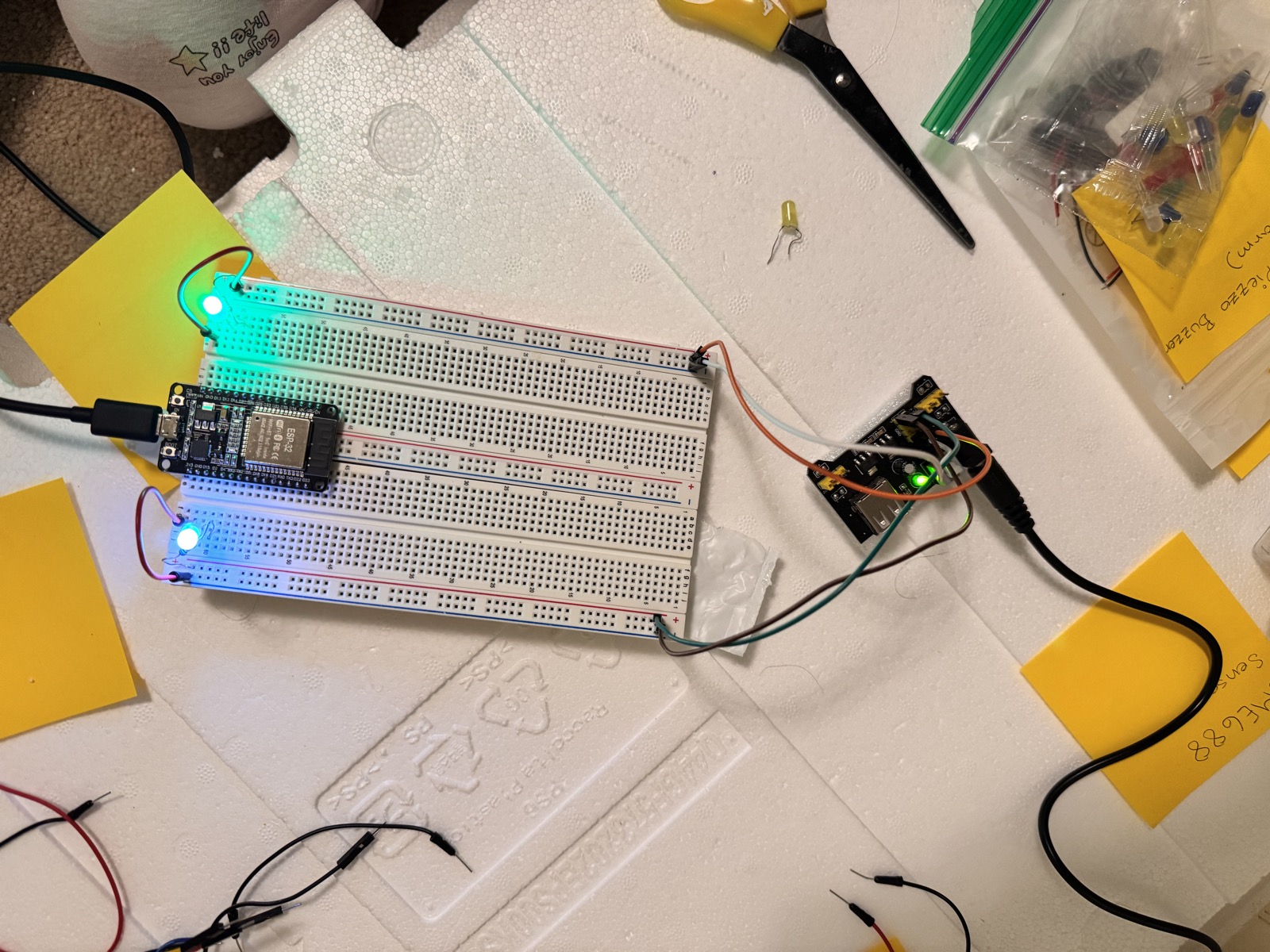
So, here’s a problem I did not see coming.
The ESP32 dev board I have (the big one with 38 pins, two rows of 19) is super powerful. Wi-Fi! Bluetooth! Lots of pins! But it’s also really WIDE. When you push it down onto a mini breadboard, it covers BOTH rows of holes. There are no holes left to actually plug your sensor wires into. It’s like trying to park a school bus in a single parking spot.
The fix (or so I thought)
The solution sounded simple. Buy two mini breadboards. Push them together with the long sides touching. The ESP32 straddles the seam. Now there’s one row of holes on each board for me to plug wires into. PERFECT.
Except… no.
The hidden problem
Here’s the thing about breadboards: those long red and blue stripes along the top and bottom? Those are the power rails. They carry +5V and ground all the way across. But each breadboard has its own pair of rails. When you push two breadboards together, the rails on board #1 do not connect to the rails on board #2. You have two separate +5V rails. Two separate grounds. They don’t know about each other.
If you plug your ESP32 +5V into the rail on the left breadboard, and you plug your LCD into the rail on the right breadboard, the LCD will NEVER get power. The rails are like two different electric grids.
The actual fix
You have to bridge the rails with little jumper wires. One red jumper that goes from the +5V rail on board #1 to the +5V rail on board #2. One black jumper that does the same for ground. Now the rails are connected, the power flows, and everything works.
Sounds obvious in retrospect. Was definitely NOT obvious to me on the day I tried it.
What I learned
- Breadboards aren’t magic. Just because two boards are touching doesn’t mean they’re electrically connected. Wood touching wood doesn’t make a chair; metal touching metal might.
- Always run a continuity test before assuming. A multimeter in beep mode (continuity mode) will tell you in 2 seconds whether two holes are actually connected. I should be doing this every time I add a new piece.
- Bigger isn’t better. I might honestly switch to a single full-size breadboard later, just to skip the whole two-board gap issue. The mini breadboards are cute but the wide ESP32 doesn’t play nice with them.
So if you’re starting your own project: get a board big enough for your microcontroller. Or, if you’re stuck with minis like I am: don’t forget those bridge wires!
- Sri